


Parallel Space - app cloning
4.135.72K Reviews
App Specs
- Version
- 4.0.9614
- Updated On
- License
- Free
- Downloads
- 100,000,000+
- Developer
- LBE Tech
- Categories
- Personalization
- Platform
- Android, iOS
Screenshots
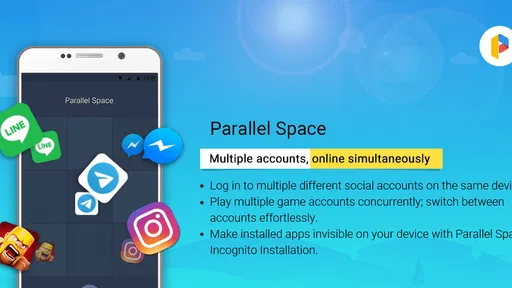
 Analysis by AppCompare
I would treat Parallel Space as a practical workaround for one specific phone problem: needing to sign in to the same app with separate accounts. It is a personalization app from LBE Tech, and the idea is simple even if the way it works can take a little getting used to. Instead of changing accounts inside an app each time, you open a separate copy through Parallel Space. That can be useful when a work profile, side project, or second social account needs its own login.
My first advice is to start with just one app you genuinely need to duplicate. That makes it easier to see whether the second login behaves as you expect before you move more of your routine into the virtual space. The app is free to install and rated for Everyone; optional in-app purchases range from $0.99 to $9.99 per item. Its current version is 4.0.9553, and it requires Android 7.0 or later.
What to expect from a second app copy
Parallel Space doesn’t create a second physical installation in the usual sense. It provides a separate environment in which a compatible app can run with another account. That distinction matters: you’ll generally launch the extra copy from Parallel Space rather than assume it will behave exactly like an independently installed app in every part of your phone.
Guides and Analysis on Parallel Space - app cloning
For someone who alternates between two accounts, this can save repeated sign-outs and sign-ins. A small business owner might keep customer messages separate from personal conversations; someone selling second-hand items could use one account for listings and another for friends. The benefit is organization, not a new messaging or social network of its own.
Make the first setup a deliberate test
After installing the app, choose the app you want to run separately and add its copy. Sign in to the second account only after confirming that you have the right credentials and can still access the original account normally. A cautious first run is especially helpful if the account uses verification steps or if you rely on it for important messages.
Then send a low-stakes test: open the cloned app, check that the intended account appears, and try a simple action such as viewing a message or profile. This confirms the basic workflow before you depend on it for a workday. If the copy asks you to sign in again or behaves differently from the original, pause and resolve that before moving on.
Where it fits better than switching accounts
Some apps already let you add more than one account and switch between them inside the same app. When that built-in option works reliably, it is usually the tidier choice: fewer copies to manage and a more direct route to notifications. Parallel Space is more appealing when an app’s own account switching is awkward, or when you want the two logins to feel like separate destinations.
Worth Reading Before You Choose

ESPN’s Live Game View Makes Following Close Games Easier

QuizzLand Review: A Good Fit for Short Trivia Breaks, Not Every Player

Basketball Stars: Multiplayer Is Fast, but Can It Recover When Matches Go Wrong?

WEBTOON Turns Phone Updates Into a Better Reading Routine

Link to Windows Runs on Shared Habits, Not Social Feeds

How Alibaba.com Dominates the B2B Marketplace
That separation also has a trade-off. You now have another place to check, and the cloned version may not feel quite as integrated with the rest of the phone as the original. I would keep the account that needs the most dependable alerts in the regular app, then use the parallel copy for the account you check intentionally. That simple division can prevent an important message from being overlooked.
Privacy is useful, but it is not a substitute for care
The app includes an incognito installation option and a password feature for Parallel Space itself. Those tools can help keep a cloned app less visible or add a barrier before someone opens the parallel environment. They are useful conveniences, but I would not treat them as a replacement for a strong device lock, careful account security, or sensible sharing habits.
There is another practical point: hiding an app can make it less obvious to you, too. If you use that option, choose a memorable routine for finding and opening the account, and test the route before you need it in a hurry. Privacy features are most helpful when they don’t turn ordinary access into a guessing game.
Who should try it—and who may not need it
Parallel Space makes the most sense for people who regularly maintain distinct logins on one phone and are comfortable opening a separate container to reach one of them. Its audience is broad: the app is rated 4.1 on average from about 5.1 million ratings, with roughly 36,000 written reviews and over 100 million installs. Those figures suggest that running multiple accounts is a familiar need, though they do not guarantee that every app or device will work identically.
If you only switch accounts occasionally, your app’s built-in account menu may be simpler. If a second account is essential for time-sensitive work, test notifications and everyday access before relying on the clone as your only route. And if an app is not compatible, keeping separate devices or using its official account-switching tools may be less frustrating than forcing a workaround.
If you've ever wished you could run multiple accounts of the same app on your phone, then Parallel Space might just be the app you didn't know you needed. It’s like a magic trick for your phone, allowing you to clone apps and switch between multiple identities effortlessly. Let’s dive into how it works and why you might want to give it a spin.
What Is Parallel Space?
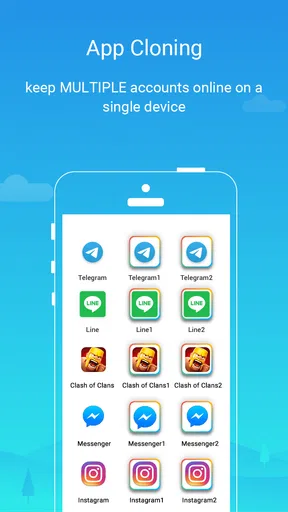
Imagine being able to separate your personal and professional lives on your smartphone. That's exactly what Parallel Space offers. It creates a virtual environment on your device where you can clone apps. This means you can have two instances of apps like WhatsApp, Instagram, or Facebook, each with different accounts running simultaneously. Pretty cool, right?
Setting Up: Easy Peasy
Getting started with Parallel Space is a breeze. Once you download and install it from the app store, you’re greeted by a simple, user-friendly interface. You just select the app you want to clone, and voilà, you’ve got a second app icon ready to go. It’s almost like having two phones in one.
The app doesn’t require any complex setup, which is a blessing for those of us who aren’t exactly tech-savvy. Plus, it doesn’t demand a lot of space or resources, so it’s unlikely to bog down your phone’s performance.
Performance and Usability
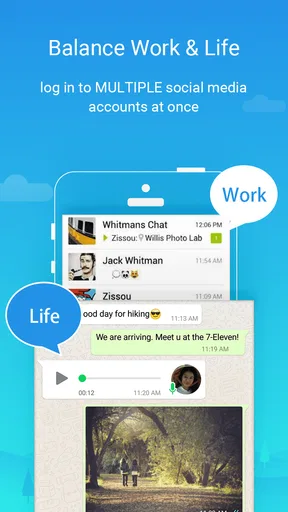
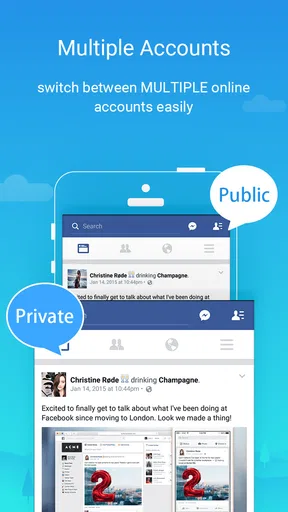
Once you’ve set up your cloned apps, using them is as straightforward as any other app on your phone. The interface is intuitive, and switching between the original and cloned apps is seamless. It’s particularly handy for those who manage multiple social media accounts or want to keep their work and personal messages separate.
An exciting feature is the ability to customize themes for your cloned apps. This adds a personal touch and helps you distinguish between different accounts at a glance. It’s a small but thoughtful touch that enhances usability.
Privacy and Security
Security is a big deal, especially when handling multiple accounts. Parallel Space respects your privacy and provides a secure environment for your cloned apps. It offers an incognito installation feature that hides your apps, keeping them private and away from prying eyes.
Additionally, you can set a password for Parallel Space itself, adding an extra layer of security. This is a great feature for anyone worried about unauthorized access to their accounts.
Potential Drawbacks
While Parallel Space is a fantastic tool, it’s not without limitations. The free version includes ads, which can be a tad annoying. However, there’s a premium version that removes ads and offers a few extra features, so it’s worth considering if you’re going to use this app extensively.
Also, not all apps are supported for cloning. Most popular apps work seamlessly, but less common apps might not be compatible. It’s a minor hiccup but something to keep in mind if you have specific apps you’re hoping to clone.
Why You Might Love It
So, why should you give Parallel Space a shot? It’s perfect for anyone juggling multiple accounts or wanting to keep different aspects of their digital life separate. Whether you’re a social media manager, a business professional, or just someone who values privacy, this app has something to offer.
Its ease of use, coupled with the ability to clone apps and maintain separate identities, makes it a standout choice in its category. Plus, the extra security features are a huge bonus for peace of mind.
In conclusion, Parallel Space is a versatile tool that can make your smartphone experience more organized and efficient. It’s like having a secret compartment in your phone where you can stash your other life. Give it a try, and you might wonder how you ever lived without it!
Pros
- Easy app cloning with minimal setup.
- Supports multiple accounts seamlessly.
- User-friendly interface and navigation.
- Customizable themes for personalization.
- Secure with privacy lock options.
Cons
- Consumes significant device storage space.
- May drain battery faster than expected.
- Limited compatibility with some apps.
- Occasional ads can be intrusive.
- Free version has restricted features.
FAQs for Parallel Space - app cloning
What is Parallel Space and how does it work?
Parallel Space is an application that allows users to clone and run multiple accounts of the same app simultaneously on a single device. It creates a virtual space where these cloned apps can operate independently, thus providing the flexibility to manage multiple accounts without logging in and out constantly.
Is Parallel Space safe to use on my device?
Yes, Parallel Space is generally considered safe to use. It doesn’t require rooting your device and respects user privacy by not collecting personal data. However, as with any app, downloading from the official app store and keeping your apps updated can help ensure security and performance.
Will using Parallel Space affect the performance of my device?
Running multiple instances of apps can consume additional resources, potentially affecting device performance. Users with older devices or limited RAM might notice slower operation when using Parallel Space. Closing background apps and ensuring your device has enough storage can help mitigate these issues.
Can I use Parallel Space for gaming apps, and how does it handle notifications?
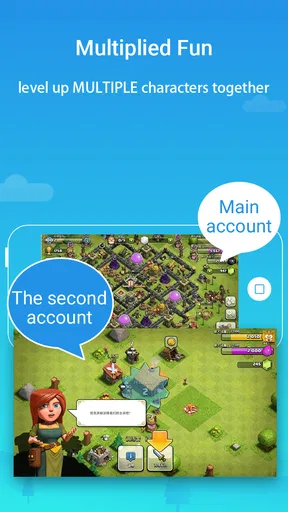
Yes, you can use Parallel Space to clone gaming apps, allowing you to play with multiple accounts. However, notifications from cloned apps are handled separately, meaning you’ll receive notifications only when you’re logged into the specific account in Parallel Space, which can be a limitation for some users.
Does Parallel Space support all Android and iOS apps?
Parallel Space supports a wide range of apps, but not all apps are compatible. Some apps may not function properly when cloned due to restrictions or specific app security features. It's advisable to check the compatibility of specific apps you wish to clone before relying on Parallel Space for dual usage.


